
- Home
- Courses
- UI/UX Design with Figma
Design & Creative
Premium Skill
Beginner
UI/UX Design with Figma Course in Burewala
Learn to design professional website and mobile app interfaces using Figma — the world’s leading product design tool. Used by Google, Microsoft, Airbnb, and Spotify. Earn $20 to $50 per hour on Upwork as a UI/UX designer. Taught by Zohaib Munawar Ghumman, Founder & CEO of Zacoders UK, at Zacoders Education, Burewala.
Duration
2 Months
Level
Beginner
Mode
In Person
Demo Class
FREE
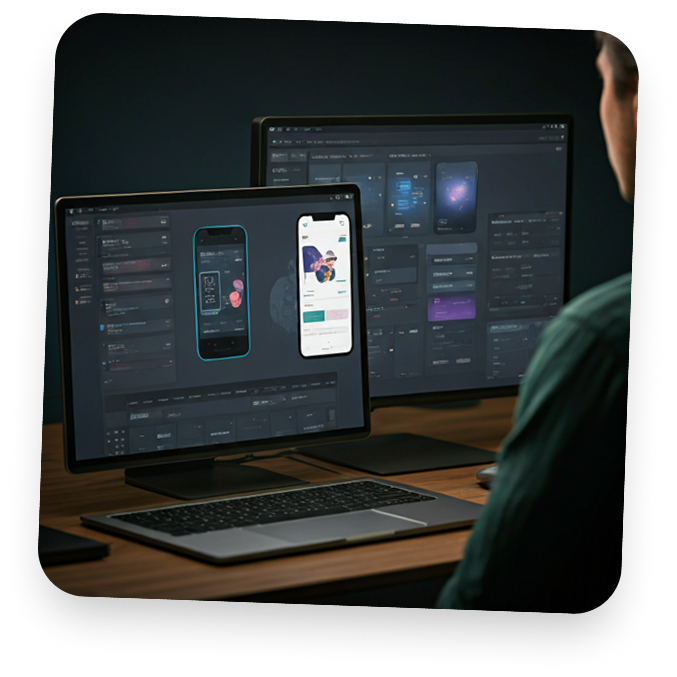
What Is the UI/UX Design with Figma Course at Zacoders Education?
The UI/UX Design with Figma course at Zacoders Education in Burewala is a 2-month practical training program that teaches you how to design professional website interfaces and mobile app screens using Figma — the world’s most widely used product design tool. Figma is used by design teams at Google, Microsoft, Airbnb, Spotify, and thousands of technology startups globally to design every digital product before it is built. UI/UX designers are among the highest-paid creative professionals in the technology industry, with Upwork consistently listing product design as one of its highest-demand skill categories.
This course is taught personally by Zohaib Munawar Ghumman — Founder and CEO of Zacoders, a UK-registered software and digital marketing agency based in Crawley, United Kingdom. At the Zacoders agency, UI/UX design and Figma are used directly in client project workflows — from initial wireframes through to final developer handoff files. Every technique taught in this course reflects real agency delivery standards, not academic theory.
By the end of this course, you will be able to design complete website interfaces and mobile app screens in Figma, build interactive prototypes that simulate how an app works, create a component library and design system, and deliver professional Figma handoff files to developers. You will leave with a strong Dribbble or Behance portfolio and a fully set up Upwork and Fiverr profile ready for your first UI/UX project.
“UI/UX design is one of the most respected and highest-paid freelance skills in the technology industry. A strong Figma portfolio is all you need to start attracting clients on Upwork at $20 to $50 per hour — from Burewala.”

Zohaib Munawar Ghumman
Founder & CEO, Zacoders UK
What You Will Learn in This UI/UX Design Course
This course is divided into 10 practical modules covering both UI (User Interface) design and UX (User Experience) principles. Every module ends with a hands-on design deliverable that becomes part of your professional portfolio. By the end of the course you will have designed two complete products — a website and a mobile app — from research through to final prototype.
Module 1 — Introduction to UI/UX Design & Figma
- What UI design and UX design are — and the clear difference between them
- Why UI/UX is one of the highest-paid skills in tech globally
- The product design process: research → wireframe → design → prototype → test → handoff
- Overview of Figma: what it is and why it replaced Adobe XD and Sketch as an industry standard
- Setting up your Figma account (free version is sufficient)
- Figma interface tour: canvas, layers panel, properties panel, assets panel, and component inspector
- Figma keyboard shortcuts for efficient design workflow
- Creating frames, shapes, and basic design elements in Figma
- Understanding Figma vector tools and pen tool basics
- Figma Community: using free templates, UI kits, and resources
Module 2 — Design Fundamentals for UI/UX
- Visual design principles applied to digital interfaces: contrast, alignment, repetition, proximity
- Typography in UI design: choosing type scales, font stacks, line height, letter spacing for readability
- Color in UI design: primary, secondary, neutral, and semantic colors (success, warning, error, info)
- Spacing systems: understanding 4pt and 8pt grid systems
- Layout grids in Figma: columns, rows, gutters, margins
- Visual hierarchy in digital interfaces — how users scan screens
- Gestalt principles in UI design: proximity, similarity, continuity, closure
- Accessibility basics: contrast ratios, text sizing, touch target sizes, WCAG 2.1 guidelines overview
- Light mode vs dark mode design considerations
- Hands-on exercise: redesign a poorly designed screen using correct typography, spacing, and color principles
Module 3 — Wireframing & Information Architecture
- What a wireframe is and why every design starts with one
- The difference between low-fidelity and high-fidelity wireframes
- Information architecture: organizing content and navigation so users find what they need easily
- User flows: mapping the path a user takes through an app or website to complete a key task
- Creating low-fidelity wireframes in Figma using grayscale boxes and placeholder text
- Wireframing a website: homepage, about page, services page, contact page
- Wireframing a mobile app: onboarding, home screen, detail view, profile, settings
- Using grids and layout guides in Figma for consistent spacing
- Getting from wireframes to feedback: how to share Figma files for client review
- Hands-on project: complete wireframe set for a fictional local business website (5 pages)
Module 4 — UI Components & Design Systems
- What a component is in Figma and why components save time
- Creating reusable components in Figma: buttons, input fields, cards, navigation bars, headers, footers, modals
- Component variants: how to design a button in all its states (default, hover, active, disabled, loading)
- Building a component library in Figma from scratch
- Auto Layout in Figma: padding, spacing, resizing rules — the most important feature for professional UI design
- Nested components: building complex UI from simple parts
- What is a design system: colors, typography, spacing, components, and icons all in one organized design structure
- Using existing design systems as reference: Material Design (Google) and Human Interface Guidelines (Apple)
- Figma styles: text styles, color styles, effect styles
- Hands-on project: build a complete UI component library for a fictional SaaS or mobile app product
Module 5 — High-Fidelity Website UI Design
- Moving from wireframe to high-fidelity visual design
- Designing a complete website in Figma: landing page, about, services, pricing, blog, and contact pages
- Desktop-first vs mobile-first design approach
- Using real photography and illustration in UI design
- Working with icons: using Figma plugins (Iconify, Feather, Material Icons) professionally
- Designing hero sections, feature sections, testimonial blocks, pricing tables, and CTA sections
- Hover states and interactive elements in static design
- Maintaining visual consistency across all pages using styles and components in Figma
- Presenting website designs professionally to clients
- Hands-on project: design a complete 6-page website UI for a fictional technology company or agency
Module 6 — Mobile App UI Design
- The difference between designing for desktop and mobile
- iOS vs Android design conventions — what changes between the two platforms
- Mobile screen sizes and safe areas in Figma
- Bottom navigation bars, tab bars, and gesture-based navigation
- Designing mobile app screens: splash screen, onboarding, sign up / login, dashboard, list views, detail views, profile, and settings
- Designing for touch: thumb zones, tap target sizes, scroll behavior
- Status bars, system bars, and notch considerations in design
- Using a mobile UI kit from Figma Community to speed up design
- Hands-on project: design a complete mobile app UI (10 screens) for a fictional app — food delivery, fitness, e-commerce, or productivity
Module 7 — Interactive Prototyping in Figma
- What a prototype is and why clients and developers need one
- Figma prototype connections: linking frames with interactions
- Interaction types in Figma: on click, on hover, on drag, after delay
- Animation types in Figma: instant, dissolve, slide in, push, move in
- Creating a clickable website prototype in Figma
- Creating a clickable mobile app prototype in Figma
- Using Smart Animate for smooth, professional transitions in Figma
- Overlays and modals in Figma prototypes
- Sharing a prototype link with a client for review
- Recording a prototype walkthrough to present your design
- Hands-on project: create a fully interactive prototype of your mobile app project (clickable, animated, shareable link)
Module 8 — UX Research & User-Centered Design
- What UX research is and why it makes better products
- The difference between quantitative and qualitative research
- User personas: creating data-driven fictional user profiles that represent your real target audience
- Empathy maps: understanding what users think, feel, say, and do in relation to a product
- User journey maps: visualizing the end-to-end experience a user has with a product or service
- Competitive analysis: how to evaluate competitor apps and websites to find design opportunities
- Usability testing basics: how to test your designs with real users and collect feedback
- Affinity mapping: organizing research findings to identify patterns and design decisions
- Jobs To Be Done (JTBD) framework for understanding user needs
- How much UX research to do for freelance projects vs full-time product roles
Module 9 — Developer Handoff & Design Delivery
- What design handoff is and why it is critical for UI/UX work
- Figma Dev Mode: giving developers direct access to CSS values, spacing, typography, and asset exports from your designs
- Organizing your Figma file for handoff: naming layers, grouping frames, adding annotations
- Exporting assets from Figma: PNG, SVG, PDF — correct settings for web and mobile
- Writing design specifications: documenting interactions, states, and behavior for developers
- Working with a developer as a designer — communication, feedback, and iteration
- How to handle design changes after handoff professionally
- Using Figma comments for collaborative feedback
- Creating a style guide PDF from your Figma design system
- Hands-on project: prepare a professional developer handoff file for your website UI project
Module 10 — Building Your UI/UX Portfolio & Freelancing
- Why your portfolio is the only thing that gets you clients and jobs in UI/UX design
- What to include in a UI/UX portfolio: case studies, not just screenshots
- Writing a design case study: problem → research → process → solution → outcome
- Setting up a Dribbble account and publishing your work
- Setting up a Behance portfolio with full case studies
- Setting up your Upwork profile as a UI/UX designer: title, skills, portfolio samples, and hourly rate
- Setting up your Fiverr gig for UI/UX design services
- Pricing your UI/UX services: per screen, per project, per hour on Upwork
- Proposal writing for UI/UX projects on Upwork
- Your first client: what to expect, how to scope the work, and how to deliver professionally
Skills You Will Gain from This Course
After completing the UI/UX Design with Figma course at Zacoders Education Burewala, you will have mastered the following professional skills that command premium rates on Upwork and Fiverr:
Figma Interface Mastery
Wireframing (Low & High Fidelity)
Information Architecture
User Flow Mapping
UI Component Design
Figma Component Variants
Layout Grids & Spacing Systems
Figma Auto Layout
Design System Creation
Typography Scale & Color Systems
High-Fidelity Website UI Design
Mobile App Screen Design (iOS & Android)
Interactive Prototype Creation
UX Research Fundamentals
Figma Smart Animate
User Persona Creation
Empathy Mapping
User Journey Mapping
Competitive Analysis
Usability Testing Basics
Developer Handoff (Figma Dev Mode)
Asset Export for Web & Mobile
Design Case Study Writing
Dribbble Portfolio Setup
Behance Portfolio Setup
Upwork UI/UX Profile Creation
Fiverr App Design Gig Setup
Design Proposal Writing
| Course Detail | Information |
|---|---|
| Course Name | UI/UX Design with Figma |
| Duration | 2 Months (8 Weeks) |
| Classes Per Week | 3 Days (Monday, Wednesday, Friday) |
| Class Duration | 2 Hours per Session |
| Total Hours | Approximately 48 Hours |
| Mode | In Person — Burewala Campus & Vehari Campus |
| Language | Urdu (with English Terminology) |
| Level | Beginner (Some Design Exposure Helpful) |
| Prerequisites | Basic Computer Knowledge. Completing Canva Graphic Design Course First is Strongly Recommended but Not Mandatory. |
| Certificate | Yes — Verifiable at education.zacoders.com |
| Demo Class | Free — WhatsApp to Book |
| Instructor | Zohaib Munawar Ghumman |
| Instructor Experience | 10–15 Years Global Software Agency Experience |
| Average Earning After Course | $20–$50 per Hour on Upwork | $50–$500 per Project on Fiverr |
Course Details at a Glance
Who Should Join the UI/UX Design with Figma Course?
Canva Graphic Design Graduates
If you have already completed the Canva Graphic Design course at Zacoders Education, UI/UX Design with Figma is the most direct path to upgrading your skills and your earning rate. Canva teaches visual design — Figma teaches product design. The two together make you one of the most well-rounded creative freelancers in the market.
Web and App Developers
If you are already a WordPress or MERN Stack developer, learning UI/UX design is one of the most powerful ways to increase your value to clients. Developers who can also design their own interfaces are rare, command higher rates, and lose fewer projects to designers. Many MERN Stack students at Zacoders Education take this course after completing development training.
Students Who Are Creative and Visually Oriented
If you have always been interested in how apps and websites look and work — if you notice good design and bad design — UI/UX is the career path built for you. It does not require coding. It requires visual thinking, empathy, and attention to detail, all of which this course develops systematically.
Graduates Looking for International Career Paths
UI/UX designers are actively hired by technology companies in Pakistan, the UAE, the UK, and globally. If you want to target a remote job with an international company or a full-time role at a Pakistani tech startup, a strong Figma portfolio from this course gives you a competitive application.
Entrepreneurs Building Digital Products
If you have an idea for an app or a digital product and want to design the interface yourself before hiring developers, this course gives you the skills to create a professional mockup and prototype that communicates your vision precisely.
How Much Can You Earn After This Course?
| Service | Rate |
|---|---|
| Single App Screen Design | $20 – $80 |
| Mobile App UI (10–20 Screens) | $200 – $800 |
| Website UI Design (5–8 Pages) | $150 – $600 |
| Landing Page UI Design | $50 – $200 |
| Interactive Prototype | $100 – $400 |
| Complete UI/UX Project with Case Study | $300 – $1,500 |
| Upwork Hourly Rate (Junior Designer) | $15 – $30/hr |
| Upwork Hourly Rate (Mid-Level Designer) | $30 – $50/hr |
| Design System Creation | $200 – $1,000 |
A UI/UX designer on Upwork working 20 hours per week at $25 per hour earns $2,000 per month — from Burewala, without relocating. At Pakistan’s current exchange rates, that is PKR 550,000 to 600,000 per month. UI/UX is one of the clearest paths to a dollar income from Southern Punjab.
Upwork lists UI/UX design as one of its fastest-growing skill categories. Clients hiring UI/UX designers typically have higher budgets than those hiring for graphic design, because the work directly impacts the usability and revenue of their product. A designer with a strong Figma portfolio and a clear case study showing their process is significantly more likely to win projects than one who only shows visuals.
Tools You Will Master
Figma
Dev Mode
Iconify
Unsplash
Dribbble
Behance
ChatGPT
5 Major Portfolio Projects
Leave with proof of your skills, not just a paper.
1. Corporate Website UI
A complete multi-page design for a premium service-based agency.
2. Mobile App + Prototype
3. Scalable Design System
Certificate of Completion
Every student who successfully completes the UI/UX Design with Figma course at Zacoders Education receives an official Certificate of Completion. The certificate is issued by Zacoders Education, Burewala — the education branch of Zacoders UK — and confirms completion of a 2-month, portfolio-based UI/UX design training program delivered to international agency standards.
UI/UX design clients on Upwork are highly discerning. A verifiable certificate from a professionally backed institute — combined with a strong Figma portfolio and Behance case study — gives you a credibility advantage over self-taught designers competing for the same projects. This certificate shows clients that your design process was taught by someone with real product delivery experience, not just theoretical instruction.

“Burewala is full of raw creative talent. Our goal with this course is to turn that creativity into a professional career. You don’t need to move to a big city to earn a big income in the digital age.”

Zohaib Ghumman
Founder & CEO, Zacoders UK
Courses That Pair Well with UI/UX Design
Students who complete the UI/UX Design course often go on to learn these related skills to offer more complete services and command higher rates.
Canva Graphic Design
Why Pair It: If you are new to design and have not yet done the Canva course, completing it before UI/UX Design is strongly recommended. Canva builds the visual fundamentals — color, typography, layout, composition — that Figma builds upon. Students who start with Canva find the Figma course significantly easier and produce better quality work.
MERN Stack Development
Why Pair It: Designers who can also code are the most valued people in any technology team. If you want to build what you design — or take on full product development projects — the MERN Stack course gives you that capability. Many students combine UI/UX design and fro
Freelancing Mastery
Why Pair It: Even the best UI/UX designers lose projects to those who know how to write better proposals, communicate confidently with clients, and price their services correctly. Freelancing Mastery teaches the platform skills that convert your design talent into consistent client income.
Frequently Asked Questions — UI/UX Design with Figma Course
Still have questions? Chat with an advisor
Do I need previous coding experience?
While basic HTML/CSS knowledge is helpful, we start from JavaScript fundamentals to ensure everyone is
on the same page. A logical mindset is more important than prior coding history.
Do I need previous coding experience?
While basic HTML/CSS knowledge is helpful, we start from JavaScript fundamentals to ensure everyone is
on the same page. A logical mindset is more important than prior coding history.
Do I need previous coding experience?
While basic HTML/CSS knowledge is helpful, we start from JavaScript fundamentals to ensure everyone is
on the same page. A logical mindset is more important than prior coding history.
Do I need previous coding experience?
While basic HTML/CSS knowledge is helpful, we start from JavaScript fundamentals to ensure everyone is
on the same page. A logical mindset is more important than prior coding history.
Do I need previous coding experience?
While basic HTML/CSS knowledge is helpful, we start from JavaScript fundamentals to ensure everyone is
on the same page. A logical mindset is more important than prior coding history.
Join the Next Batch in Burewala
Whether you’re in Burewala, Vehari, or Chichawatni, the opportunity to work globally from home has never been bigger. Stop watching YouTube tutorials and start learning from the masters who actually run these campaigns for UK brands.
- Chicha Watni Road, Burewala, Vehari
- info@zacoders.com