
- Home
- Courses
- Pro Video Editing
Design & Creative
High Demand
Beginner Friendly
Pro Video Editing Course in Burewala
Learn professional video editing using CapCut and Adobe Premiere Pro — and start editing YouTube videos, Instagram Reels, and brand content for clients worldwide. Earn $30 to $200 per video on Fiverr. Taught by Zohaib Munawar Ghumman, Founder & CEO of Zacoders UK, at Zacoders Education, Burewala.
Duration
6 Weeks
Level
Beginner
Mode
In Person
Demo Class
FREE
Expert Led
Certified UK Agency Experience
What Is the Pro Video Editing Course at Zacoders Education?
The Pro Video Editing course at Zacoders Education in Burewala is a 6-week practical training program that teaches you how to edit professional videos using two of the most widely used editing tools in the world — CapCut for fast, platform-optimized social media content, and Adobe Premiere Pro for full professional productions. Video is the dominant content format across every major digital platform in 2026 — YouTube, Instagram, TikTok, Facebook, and LinkedIn — and the demand for skilled video editors who can deliver polished, platform-ready content has never been higher.
This course is taught personally by Zohaib Munawar Ghumman — Founder and CEO of Zacoders, a UK-registered software and digital marketing agency based in Crawley, United Kingdom. At the Zacoders agency, video content is produced regularly for client marketing campaigns, social media, and brand communications. Every editing technique taught in this course is drawn from real content production experience — not theoretical exercises.
By the end of this course, you will be able to edit professional YouTube videos, Instagram Reels, YouTube Shorts, TikToks, promotional brand videos, and tutorial content to a standard that clients on Fiverr and Upwork will pay for consistently. You will build an editing portfolio during the course and leave with a fully set up Fiverr gig ready to receive your first paid orders
Course Quick Specs
Software Taught
CapCut + Adobe Premiere Pro
Language
Urdu / Hindi / English
Class Size
Max 15 Students (Exclusive)
Direct Monetization Pathway
Video editing is one of the fastest skills to monetize on Fiverr. Our students are already commanding prices from $30 for a short reel up to $200+ for cinematic brand videos.
“Video editing is one of the fastest skills to monetize on Fiverr. Every YouTuber, every brand, every content creator needs an editor — and the demand is constant, daily, and never slows down. Six weeks is all it takes to start earning.”
What You Will Learn in This Video Editing Course
This course covers both CapCut and Adobe Premiere Pro across 8 structured modules. CapCut is taught first for quick wins and social media monetization. Premiere Pro follows for professional-grade productions and higher-paying Upwork and Fiverr projects. Every module ends with a finished, portfolio- ready edited video.
01
Introduction to Video Editing & CapCut Basics
- What professional video editing is and why it matters
- The video editing market in 2026: Fiverr, Upwork, and YouTube channel editing demand
- Overview of CapCut: mobile app and desktop version comparison
- Setting up CapCut on desktop (PC/Mac)
- CapCut interface tour: timeline, media panel, effects panel, text panel, audio panel, and export settings
- Importing raw video footage into a CapCut project
- Basic editing workflow: cut, trim, split, delete, rearrange
- Understanding frame rate (24fps, 30fps, 60fps) and resolution (1080p, 4K) — when to use each
- Exporting your first edited video from CapCut at correct settings for YouTube and social media
- Understanding video file formats: MP4, MOV, AVI — differences and when each is used
02
Social Media Video Editing with CapCut
- Platform-specific video dimensions and durations in 2026:
Instagram Reels (9:16, up to 90 seconds)
YouTube Shorts (9:16, up to 60 seconds)
TikTok (9:16, up to 10 minutes)
Facebook Reels and Stories (9:16)
LinkedIn video (16:9 horizontal)
YouTube long-form (16:9, any length) - Editing a talking head video: trimming silences, removing filler words, tightening pacing
- Adding text and captions to Reels and Shorts using CapCut
- CapCut auto-caption feature: generating and editing subtitles
- Adding background music: importing tracks, adjusting levels, fading in and out
- Using CapCut built-in transitions: which ones look professional and which to avoid
- Adding on-screen text: titles, lower thirds, call-to-action text
- Speed effects: slow motion, fast forward, freeze frame
- Using CapCut templates for fast Reels production
- Hands-on project: edit a complete 60-second Instagram Reel from raw footage to export-ready
03
Advanced CapCut Techniques
- Color grading in CapCut: adjusting brightness, contrast, saturation, highlights, and shadows
- Using LUTs (Look Up Tables) in CapCut for cinematic color
- Keyframe animation in CapCut: creating smooth zoom and movement effects
- Green screen (chroma key) in CapCut: removing backgrounds and replacing them
- CapCut beat sync: automatically cutting video to music
- Creating a YouTube Shorts-style video with hook, content, and call-to-action structure
- Adding brand elements to videos: logo watermarks, brand color overlays, consistent intro style
- Exporting for each platform at maximum quality settings
- Batch editing multiple short videos efficiently in CapCut
- Hands-on project: edit a complete YouTube Shorts series (3 videos) for a fictional brand or creator
04
Introduction to Adobe Premiere Pro
- Why Adobe Premiere Pro is the industry standard for professional video production
- Setting up Adobe Premiere Pro (trial or subscription)
- Adobe Premiere Pro interface: project panel, source monitor, program monitor, timeline, effects panel, audio meters
- Creating a new project and sequence — correct settings for YouTube and social media in Adobe Premiere Pro
- Importing media: video, audio, images, and graphics into the project panel
- Organizing your project with bins (folders)
- The Adobe Premiere Pro timeline: video tracks, audio tracks, nesting sequences
- Basic editing in Adobe Premiere Pro: selection tool, razor tool, ripple edit, rolling edit
- Keyboard shortcuts that professional editors use every day
- Autosave settings and project backup best practices
05
Professional Editing Techniques in Premiere Pro
- Understanding cuts: jump cut, L-cut, J-cut, match cut — when and how to use each
- Editing a talking head / interview video professionally: cutting on action, hiding cuts, pacing for engagement
- B-roll: what it is, why every professional video uses it, and how to cut B-roll over primary footage
- Adding and syncing background music to a video timeline
- Audio editing in Adobe Premiere Pro: volume levels, audio gain, keyframe audio fades
- Removing background noise using Adobe Premiere Pro Essential Sound panel
- Adding and formatting text: Premiere Pro title templates, lower thirds, name tags
- Creating a simple animated text intro using Essential Graphics panel in Adobe Premiere Pro
- Adding transitions: which to use, how to use them sparingly and professionally
- Hands-on project: edit a complete 5 to 8 minute YouTube video with B-roll, music, captions, and lower thirds
06
Color Grading & Color Correction in Premiere Pro
- The difference between color correction and color grading
- Color correction: fixing exposure, white balance, and skin tones using the Adobe Premiere Pro Lumetri Color panel
- Reading and using scopes: waveform monitor, vectorscope, histogram — how to use them for accurate correction
- Color grading: applying a creative look and mood to your video using the Lumetri Color creative controls
- Applying and creating LUTs (Look Up Tables) in Adobe Premiere Pro
- Matching color across multiple shots for visual consistency
- Grading for different video styles: cinematic, clean/bright, dark/moody, social media pop
- Saving your color grades as presets to reuse on future projects
- Skin tone grading: ensuring natural skin tones across different lighting conditions
- Hands-on project: take an ungraded video and deliver a fully color-corrected and graded version
07
Motion Graphics, Titles & Intro/Outro Design
- What motion graphics are and how they are used in professional video production
- Using Adobe Premiere Pro Essential Graphics panel for animated text and lower thirds
- Installing and using Motion Graphics Templates (MOGRTs) from Adobe Stock and free sources
- Creating a professional YouTube intro (5 to 10 seconds) using a MOGRT template
- Creating a professional YouTube outro with end screen layout
- Designing lower thirds for interviews and talking head videos
- Creating animated subscribe and like buttons for YouTube
- Using Adobe After Effects integration with Adobe Premiere Pro (overview only — enough to use pre-built templates)
- Rendering and exporting finished graphics for client use
- Hands-on project: create a branded intro, outro, and lower thirds set for a fictional YouTube channel
08
Client Video Delivery & Freelancing
- Understanding client briefs for video editing projects: what information to collect before starting
- Standard video delivery formats: MP4 H.264 for web, ProRes for broadcast, compressed versions for review
- Using WeTransfer, Google Drive, and Dropbox for professional client file delivery
- Version management: first cut, revision 1, final cut — organizing your project files professionally
- How to present a video edit to a client for feedback
- Handling revision requests professionally without scope creep
- Setting up your Fiverr video editing gig: title, description, packages, samples, and pricing
- Setting up your Upwork profile for video editing services
- Portfolio video: how to create a showreel that wins clients
- Pricing your video editing services: per minute, per video, and monthly retainer models
- Hands-on project: create a 60-second showreel of your best edited work from the course to use as your Fiverr and Upwork portfolio sample
Skills You Will Gain from This Course
After completing the AI Tools for Earning course at Zacoders Education Burewala, you will have mastered these practical AI skills that directly multiply your freelancing speed and income:
CapCut Desktop Editing
CapCut Color Grading
CapCut Keyframe Animation
CapCut Green Screen
YouTube Shorts Editing
Instagram Reels Editing
CapCut Auto-Captions
TikTok Video Editing
Adobe Premiere Pro
Timeline Editing (Cut, Trim, Splice)
L-Cut and J-Cut Techniques
B-Roll Integration
Brand Video Production
Audio Cleanup & Noise Reduction
Background Music Mixing
Color Correction (Lumetri)
Color Grading with LUTs
Motion Graphics Templates (MOGRTs)
Client File Delivery (Drive/WeTransfer)
Animated Captions & Text
YouTube Intro & Outro Creation
Talking Head Video Editing
Animated Captions & Text
Export Settings for All Platforms
Fiverr Video Editing Gig Setup
Showreel / Portfolio Creation
Upwork Video Editor Profile
Who Should Join This Pro Video Editing Course?
After completing the AI Tools for Earning course at Zacoders Education Burewala, you will have mastered these practical AI skills that directly multiply your freelancing speed and income:
Complete Beginners Wanting to Earn Online Quickly
Video editing is one of the most consistently in-demand services on Fiverr — orders come in daily for YouTube editing, Reels editing, and brand video production. If you want a skill you can monetize within weeks of learning it, Pro Video Editing is one of the clearest and fastest paths available. Students from Burewala and Vehari have taken this course with zero editing background and been earning within 30 days.
Content Creators and YouTubers
If you are already creating video content for YouTube, Instagram, or TikTok but spending too long editing or producing low-quality results, this course teaches you professional techniques that will significantly improve your content quality, grow your audience faster, and save you editing time every week.
Digital Marketing Students
If you are studying or have completed the Digital Marketing course, video editing directly expands what you can offer clients. Social media managers who can also produce edited Reels and promotional videos command much higher monthly retainer fees than those who only manage text and image content.
Students Who Completed Canva Graphic Design
If you have already learned Canva and want to expand your creative freelancing services, video editing is the most natural and highest-demand complement. Clients who buy thumbnail design often also need their videos edited. Offering both as a package significantly increases your order value.
Girls and Women Seeking Flexible Home-Based Income
Video editing is entirely remote, flexible, and can be done from home on any schedule. It does not require client meetings or physical presence. Many female students from across Vehari district have built consistent part-time and full-time incomes from Fiverr video editing, managing their own time while earning in dollars.
Students Planning to Do the YouTube Monetization Course
If you intend to build and monetize a YouTube channel, learning to edit your own videos professionally before starting saves significant costs and gives you complete creative control over your content from day one.
How Much Can You Earn After This Course?
Video editing is one of the most consistently high-volume freelance services on Fiverr. Unlike design or development projects that can take weeks, video edits are often delivered in 1 to 3 days — meaning a fast editor can complete multiple projects per week and build income quickly.
| Service | Typical Rate |
|---|---|
| Short Reel / Short (Under 60 Sec) | $10 – $40 |
| YouTube Video Edit (5–10 Minutes) | $30 – $100 |
| YouTube Video Edit (10–20 Minutes) | $50 – $150 |
| Long-Form YouTube Edit (20+ Minutes) | $80 – $200 |
| Promotional Brand Video (1–3 Minutes) | $50 – $200 |
| Tutorial / Explainer Video Edit | $40 – $120 |
| Podcast Video Edit (Audio Cleanup + Captions + B-Roll) | $40 – $100 |
| Monthly YouTube Channel Editor | $200 – $600/month |
| Monthly Reels Package (8–12 Videos) | $100 – $300/month |
| Upwork Hourly Rate (Video Editor) | $15 – $40/hour |
PKR 450,000 - 500,000
A video editor handling 10 YouTube video edits per month at $60 per video earns $600 per month. Add 2 monthly retainer YouTube channel clients at $250 each and total monthly earnings reach $1,100 — approximately PKR 300,000 to 330,000 per month, working from home in Burewala.
"Fiverr's video editing category is one of the busiest on the platform. Buyers search daily for YouTube editors, Reels editors, and brand video editors — with orders placed every hour. Fast turnaround, good communication, and consistent quality are the three factors that generate repeat business and 5-star reviews, which this course prepares you for specifically. On Upwork, video editors are hired for ongoing content calendar roles, making it a strong source of long-term monthly contracts."
Tools & Assets Included
Master the Industry Stack

Premiere Pro

CapCut

Adobe Fonts

Epidemic Sound
Editing Projects You Will Complete in This Course
Every module in this course produces a real, finished video that goes directly into your portfolio. By the end of 6 weeks, you will have a diverse portfolio of edited work covering every major service type clients order on Fiverr.
Instagram Reels Series (CapCut)
Edit a series of 3 Instagram Reels (60 seconds each) from raw footage. Includes auto-captions, background music, on-screen text, transitions, and platform-correct export. Demonstrates your fast-turnaround Reels editing capability for social media management clients.
YouTube Shorts Series (CapCut)
Edit 3 YouTube Shorts from raw talking head footage. Includes hook optimization, jump cuts, captions, music, and branded outro. Demonstrates YouTube Shorts editing for content creators.
Full YouTube Video Edit (Premiere Pro)
Edit a complete 8 to 10 minute YouTube video with: clean cuts, B-roll overlay, background music mixed under voice, audio noise reduction, color correction, lower thirds, and outro. This is your primary long-form YouTube editing portfolio piece.
Color Graded Brand Video (Premiere Pro)
Take a flat, ungraded 2-minute promotional video and deliver a fully color-corrected and graded version with consistent visual style, LUT applied, and skin tones corrected. Shows your color grading ability — one of the highest-value skills in professional video editing.
Branded YouTube Channel Package
Create a complete branded video package for a fictional YouTube channel: animated intro (using MOGRT), outro with end screen layout, lower thirds set, and subscribe animation. Demonstrates motion graphics and branding capability.
Showreel
A 60-second edited highlights reel of your best work from all projects in this course — set to music, with smooth transitions and branded end card. This is the portfolio video you use in your Fiverr gig and Upwork profile to win your first clients.
“Burewala is full of raw creative talent. Our goal with this course is to turn that creativity into a professional career. You don’t need to move to a big city to earn a big income in the digital age.”
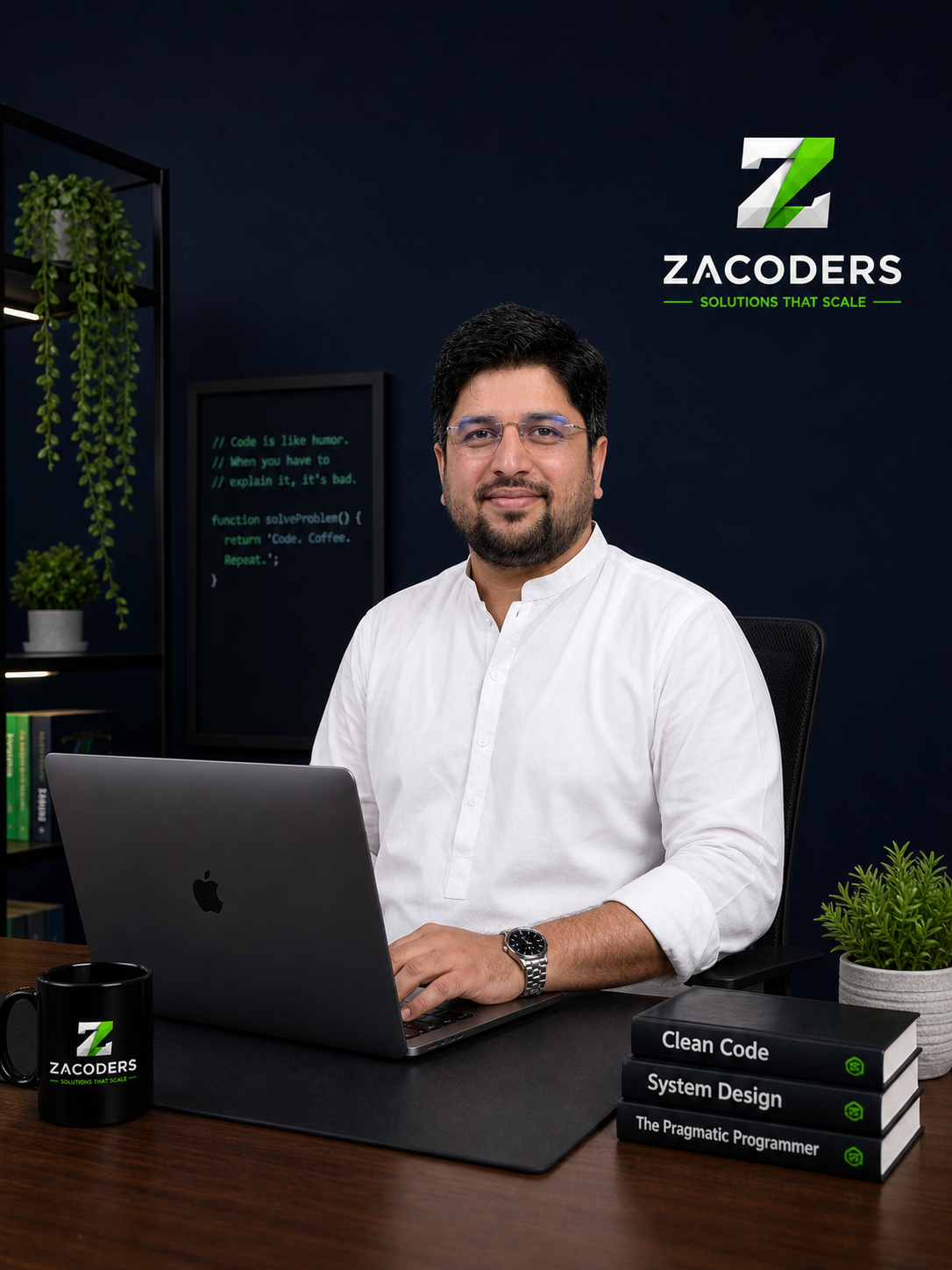
Zohaib Ghumman
Founder & CEO, Zacoders UK
Master the Industry Stack
By the end of 6 weeks, you’ll have these 6 real-world projects ready for clients.
1. Corporate Website UI
1. Corporate Website UI
1. Corporate Website UI
1. Corporate Website UI
1. Corporate Website UI
1. Corporate Website UI
Certificate of Completion
Every student who successfully completes the Pro Video Editing course at Zacoders Education receives an official Certificate of Completion. The certificate is issued by Zacoders Education, Burewala — the education branch of Zacoders UK — and confirms completion of a 6-week, portfolio-based professional video editing training program covering CapCut and Adobe Premiere Pro.
Adding this certificate to your Fiverr profile and Upwork account builds immediate trust with clients who are evaluating video editors. It demonstrates that your skills were trained to agency standards — not just self-taught from YouTube — and that you have completed real editing projects under professional instruction.
- QR-Verifiable Online Link
- Industry Recognized Standard
- Backed by Zacoders UK Portfolio

Courses That Pair Well with Pro Video Editing
Students who complete Pro Video Editing often add these related skills to expand their service offering and earn more.
Canva Graphic Design
Why Pair It: Every video needs a thumbnail. Video editors who can also design professional YouTube thumbnails and social media graphics offer clients a more complete package and charge more per project. If you have not yet done the Canva course, combining it with video editing significantly increases your Fiverr order value.
Digital Marketing
Why Pair It: Video is the most important content format in digital marketing in 2026. Understanding how video fits into a full digital marketing strategy — what types of video work on which platforms, and how to use video for brand growth — makes you a significantly more valuable creative professional to any client.
YouTube Monetization
Why Pair It: If you can edit professionally and also understand how to grow and monetize a YouTube channel, you can either build your own monetized channel or offer YouTube channel management as a complete service to clients — editing plus strategy. These two courses together are a powerful combination.
Frequently Asked Questions
Still have questions? Chat with an advisor
Do I need any experience to join this video editing course?
No. The Pro Video Editing course at Zacoders Education is designed for complete beginners. You do not need any prior video editing, filmmaking, or design experience. If you can use a computer, you can learn professional video editing in 6 weeks with the right instruction.
Do I need a powerful or expensive computer for video editing?
For CapCut, any modern laptop or desktop with 4GB of RAM and a standard processor handles it comfortably. For Adobe Premiere Pro, a minimum of 8GB of RAM is recommended, with 16GB being ideal for smooth performance with longer timelines and color grading. If you are purchasing a laptop specifically for this course, Zohaib can advise you on cost-effective options in class.
Is Adobe Premiere Pro free?
Adobe Premiere Pro requires a paid subscription. Adobe offers a 7-day free trial, and there are student discount plans available. CapCut is completely free and is taught as the primary tool for social media editing throughout the course. Students who cannot afford Premiere Pro can complete the full course using CapCut and DaVinci Resolve (free) for professional productions.
Can I specialize in just Reels and Shorts editing without learning long-form YouTube editing?
Yes. Reels and Shorts editing (CapCut-based) is a complete and viable freelance specialization on its own. Many editors on Fiverr specialize exclusively in short-form social media content and earn consistently from it. This course teaches both so you have the choice, and you can focus your Fiverr gig on whichever format you prefer.
How do I find video footage to practice with during the course?
Zohaib provides raw practice footage for every module of the course so you always have material to work with. You do not need to film anything yourself to complete this course. Free stock footage platforms like Pexels Video and Pixabay Video are also introduced as resources.
Can girls do video editing as a home-based income?
Absolutely. Video editing is one of the most suitable remote skills for women who want to earn from home. All work is done on a laptop, all client communication happens online, and all files are delivered digitally. Many female students from Vehari district have built part-time and full-time Fiverr incomes from video editing without any in-person client interaction.
How is this course different from watching editing tutorials on YouTube?
Structured classroom training with live instructor feedback is fundamentally different from scattered YouTube tutorials. In this course, Zohaib reviews your edited videos in class, corrects mistakes in real time, and explains the professional reasoning behind every technique. You graduate with 6 finished, portfolio-ready projects — not fragmented practice attempts.
Is there a free demo class available?
Yes. Zacoders Education offers a free demo class for the Pro Video Editing course. You can attend one session to see the teaching quality and the level of content before enrolling. WhatsApp us at +92 331 7047295 or visit our Contact page to book your free demo.
Pro Video Editing Course Available in Burewala & Vehari
Zacoders Education offers the Pro Video Editing course at our main campus on Chicha Watni Road, Burewala, Vehari district, Punjab, Pakistan. This is the only professional video editing course in Southern Punjab teaching both CapCut and Adobe Premiere Pro under a single structured program — delivered by an instructor with real digital agency content production experience. Students from Burewala, Vehari, Machiwal, Gaggo Mandi, Arifwala, Chichawatni, Mailsi, Pakpattan, and Sahiwal are welcome to attend. If you have been searching for a video editing course in Burewala, a CapCut training institute near Vehari, an Adobe Premiere Pro course in Southern Punjab, or a freelance video editing course in Vehari district — Zacoders Education is the most complete and practically trained option in the region.
Start Your Video Editing Career — Free Demo Class Available
Every YouTuber needs an editor. Every brand needs video content. Every social media manager needs Reels. The demand for skilled video editors on Fiverr is daily, consistent, and growing. Students from Burewala and Vehari who complete this course are already editing YouTube channels, brand videos, and Instagram Reels for clients in the UK, USA, and UAE — from their homes. Your first class is free. Come and see what you can produce in just 6 weeks.
- Limited seats available. Next batch starts first Monday of next month.